Random Picker for Classroom Activities: The Ultimate Teacher's Toolkit
50+ activity ideas and strategies to gamify learning with wheel.expert

Picking the next student is one problem. Picking the next <em>activity</em> is a different one, and it shows up far more often than teachers admit. The lesson plan says "transition to stations." The clock says you have nine minutes and a room that just got loud. Which station? Which warm-up? Which review game today instead of the one you ran on Tuesday? That decision fatigue is real, and it lands on you fifty times a day. A random activity picker takes the choice off your plate at the exact moment your plate is full. You load a wheel of warm-ups, brain breaks, center rotations, or review games once. After that, a spin decides. The class watches it land, and the friction of "what now?" just goes away. This is a different job from a name picker. A <a href="/blog/random-name-picker-teachers/">name picker chooses who participates</a>. An activity picker chooses what the whole room does next. You will often run both, sometimes in the same minute. But the activity angle deserves its own playbook, and that is what this guide gives you. Below you will find more than fifty activities you can drop onto a wheel, organized by grade band and by the moment in your day when you actually need them. The tool is the same one teachers already use for names. The use case is the part most people never set up.
Why Pick the Activity, Not Just the Student
Think about what a transition costs you. You decide which review game to run. You weigh whether the class can handle a movement break or needs a calm one. You remember you did charades last time. Every one of those micro-decisions burns attention you would rather spend reading the room. Hand the choice to a spin and you reclaim it.
There is a fairness angle too, but it works differently than with names. When the wheel picks Tuesday's brain break, nobody argues that you favor a particular game. When it picks which group presents first, the order feels neutral instead of strategic. Students stop reading meaning into your choices because you stopped making them.
The spin also creates a small moment of suspense that resets a room. A class that has gone flat will lean in to watch a wheel land. That few-second pause is itself a kind of break, a signal that one thing has ended and another is starting. You are buying a transition cue for free.
None of this requires student data or accounts. The wheel runs on randomness generated right in the browser, and your activity list never leaves the device. So why default to picking people when picking the task solves the harder problem?
How a Fair Spin Actually Works
Modern browsers ship a built-in tool called the Web Crypto API, and its
crypto.getRandomValues() method produces cryptographically secure random numbers. That is the same class of randomness used to generate security keys, not the weaker pattern-prone math behind a basic Math.random() call. When a wheel is built on it, every slice has a genuinely equal shot, spin after spin.Why should a teacher care about the plumbing? Because a kid who suspects the "silent reading" option is rigged will check, and they will be right to. A fair generator means the dance-break wheel is not secretly stacked toward the boring choice, and you can say so with a straight face.
If you want to feel the difference yourself, the number wheel is a quick test. Spin it a few dozen times and watch the spread fill in evenly. That same engine sits underneath every activity wheel you build, whether it holds six options or sixty.
The practical upshot: you can trust the wheel to settle arguments. "The wheel decided" only carries weight if the wheel is honestly fair, and this one is.
50+ Activity Picks: Elementary School (K-5)
Transition and Routine Activities
• Cleanup song to play
• Line-up shape (single file, partners, animal walk)
• Dismissal order by table color
• Carpet-time opener (calendar, weather, count the day)
• Cubby-and-coat routine timer challenge
Center and Station Rotation
Drop your station names on a wheel and let it set the rotation order. Listening center, word work, math manipulatives, art table, classroom library, building blocks. Spin to decide which group moves where, and the squabble over "we always start at blocks" ends.
Brain Break Activities
• Twenty jumping jacks
• Thirty-second freeze dance
• Animal-walk lap of the rug
• Stretch-and-yawn sequence
• Slow balloon breathing
• Silent shake-it-out
Review Game Activities
• Around the World flash cards
• Sight-word hopscotch
• Mystery box guessing
• Beat-the-teacher math race
• Spelling relay
Reward and Choice-Time Activities
• Extra story time
• Show-and-tell minute
• Drawing free choice
• Outdoor game pick
• Class-favorite song dance
Spinning the wheel to choose among warm-ups pairs naturally with a classroom name picker for assigning who leads each one. The activity comes first, the volunteer second.
Activity Picks: Middle and High School (6-12)
Warm-Up and Bell-Ringer Activities
• Quick-write on a posted prompt
• Error-hunt in a sample problem
• Yesterday's-recap pair share
• Current-event one-liner
• Vocabulary sketch
Discussion Format Activities
Put formats on the wheel instead of people. Socratic circle, four-corners debate, think-pair-share, fishbowl, silent written discussion. The format changes the energy of the room, and rotating it keeps a daily discussion from going stale.
Review and Test-Prep Games
• Team quiz tournament
• Hot-seat rapid review
• Whiteboard race rounds
• Stations gallery walk
• Jeopardy-style board
Group Task Activities
• Jigsaw reading assignment
• Lab role rotation
• Peer-edit swap
• Gallery-walk feedback
• Build-and-present challenge
Energizer and Reset Activities
• Two-minute stand-and-stretch
• Would-you-rather poll
• Sixty-second tidy reset
• Quick brain teaser
• Music-on focused work block
When the wheel lands on a group task, the next question is how to split the room. That is where a team generator builds balanced groups in one click, no playground-pick drama, no friend cliques calling the shots.
Building Your Core Set of Activity Wheels
The brain-break wheel. Six to eight short resets, nothing longer than two minutes. Keep movement and calm options on separate wheels so you can match the room. A wound-up class needs the calm one.
The review-game wheel. Five formats you can run with little setup. The point is variety across the week, not novelty every single day. Students like knowing the menu.
The station-rotation wheel. Your center names, used to set the order. This removes the daily negotiation over who starts where.
The choice-board wheel. Reward or free-time options. Spinning for the reward is half the fun, and it sidesteps the "why did we do that one" complaint.
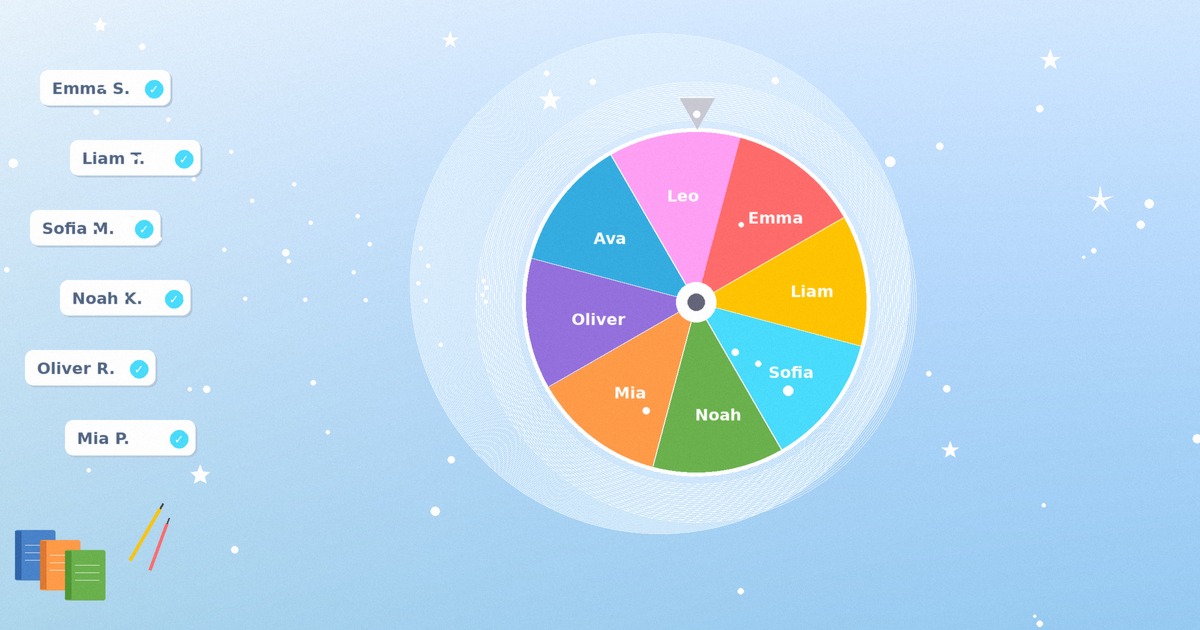
The activity wheel tool is built for exactly this, with a layout that reads clearly when projected. Build each wheel once, name it, and load the right one when the moment comes.
- Open the activity wheel and clear the sample entries.
- Type one activity per line, keeping the list to roughly five to eight tight options.
- Name and save the wheel so it loads instantly next period.
- Project it on your board and spin where the whole class can watch it land.
Brain Breaks: A Real Practice, Done Right
The trick is timing. A break works when you catch attention as it starts to slide, not after the room has fully checked out. You will feel it: more fidgeting, slower responses, eyes drifting to the window. That is your cue to spin.
Keep the menu honest. A brain break is short by design, so a wheel of two-minute resets does the job. Mix movement options for restless energy with quiet options for an overstimulated room, and run them on two wheels so you pick the right kind.
Here is a sample movement wheel:
• March in place to a count of forty
• Cross-body toe touches
• Desk push-ups, ten reps
• Walk a slow lap of the room
• Shake out each limb in turn
And a calm wheel for the over-cranked days:
• Four-count box breathing
• Eyes-closed sound listening
• Slow neck-and-shoulder rolls
• One-minute doodle
• Name three things you can see
A spin to choose the break adds a beat of anticipation that is, in itself, a small reset. The choosing is part of the cure.
Using the Wheel to Smooth Transitions
Load a transition wheel with the small moves that get a room ready: "clear desks," "materials out for next subject," "partner up," "face the board," "thirty-second tidy." Spin it, and the class has a single clear instruction instead of you repeating yourself over rising noise. The novelty of the spin pulls attention back toward the front.
You can also use a wheel to decide the order of things you were going to do anyway. Which group presents first. Which problem set the class tackles. Which warm-up opens the period. None of these choices needs your judgment, and offloading them keeps you focused on the parts that do.
A spin works as a timing cue as well. "When the wheel lands, we move" gives a fuzzy transition a hard edge. Students stop stretching the in-between because the signal is unmistakable.
This pairs well with a virtual or hybrid setup where pacing is even harder to manage. On a shared screen, a spinning wheel is one of the few cues every student sees at the same instant, which is exactly what a scattered remote room needs.
For open-ended discussion days, a question wheel keeps the conversation moving. Load it with prompts and spin when the talk stalls, so the next thread is chosen for you rather than dragged out of a tired room. The question wheel works well for rotating discussion prompts across a unit.
Making the Wheel a Routine, Not a Novelty
Start with one slot. Pick a single moment in your day, the brain break or the warm-up, and let the wheel own it for two solid weeks before adding a second. Trying to wheel-ify everything at once guarantees you drop it by Friday.
Set one rule and hold it: the wheel's result stands. No re-spins, no negotiating. This takes a few days to settle and then it runs itself, because the fairness is what makes the whole thing work. The first time you allow a re-spin, you have told the room the wheel is optional.
Keep the wheel projected and let students do the spinning when it fits. A student who spins is a student paying attention. Rotate the privilege so it does not become its own reward to fight over.
And retire wheels that go stale. If the review-game wheel has gone predictable, swap two options. The menu should feel current without changing so often that students lose the rhythm. A little maintenance keeps the tool from sliding back into novelty.
Conclusion
Here is the shift worth keeping: stop using the wheel only to point at a kid. The harder, more frequent decision is what the room does next, and that is the one a spin handles best. Build four small wheels this week. A brain-break wheel, a review-game wheel, a station-rotation wheel, and a transition wheel. Tight lists, five to eight options each, named and saved. That is an afternoon of setup against a year of reclaimed decisions. The payoff is not just saved minutes. It is a room that reads the spin as a fair, neutral signal and moves on without arguing. You spend less energy choosing and more reading the class in front of you. The wheel runs in any browser, costs nothing, and never asks for a name or a login when you are picking an activity. Set up your first activity wheel today and let the next transition decide itself.
Set up your classroom activity wheel and let the next transition pick itself.
Build an Activity WheelFrequently Asked Questions
What is the difference between an activity picker and a name picker?
A name picker chooses which student does something. An activity picker chooses what the whole class does next, like which brain break, review game, or station rotation to run. Teachers often use both, sometimes back to back: spin the activity wheel to pick the warm-up, then spin a name picker to choose who leads it.
Is the wheel actually random, or does it favor certain options?
It is genuinely fair. The wheel draws on the browser's Web Crypto API and its crypto.getRandomValues() method, which produces cryptographically secure random numbers. Every option on the wheel has an equal chance on every spin, so students cannot accuse the silent-reading slice of being rigged.
Are brain breaks a real teaching practice or just a fad?
They are a documented classroom practice. A brain break is a short, deliberate pause that interrupts sustained focus so students can reset and re-engage. The approach appears widely across teaching guides and professional development. A wheel simply makes choosing the break quick and fair instead of one more decision on your plate.
How many activities should I put on one wheel?
Keep it tight, roughly five to eight per wheel. A single giant wheel that could land on "silent reading" or "dance party" is too wide to trust in the moment. Build separate purpose-built wheels, like one for movement breaks and one for calm resets, and load the right one for the room.
Can I use the wheel to set station rotation order?
Yes, and it is one of the best uses. Put your center or station names on the wheel and spin to decide which group moves where. This ends the daily negotiation over who starts at the popular station, since the order comes from a neutral spin rather than your choice.
Does the activity wheel store any student information?
No. When you are picking activities, the wheel holds task names, not student data, and everything stays in your browser. There is no login and nothing is sent to a server, which keeps the tool simple to use on a shared classroom device or interactive board.
Will this work projected on an interactive whiteboard?
Yes. The wheel runs in any browser, so it works on SMART Boards, Promethean panels, and standard projectors. The layout reads clearly at the back of the room, and the spinning animation gives the whole class a single cue to watch at the same moment, which helps with transitions.