Best Random Name Picker for Teachers: The Ultimate Classroom Guide
Transform your classroom engagement with fair, fun, and effective student selection

Three hands shoot up. They're the same three hands that went up yesterday, and the day before. Meanwhile, two-thirds of the room studies the floor, the ceiling, the inside of a pencil case — anywhere but your eyes. You know who knows the answer. You also know who hasn't spoken aloud since September. So who do you call on? This is the daily arithmetic of teaching, and most of us solve it badly. We reach for the eager hands because they keep the lesson moving, and the quiet students drift further out of reach. A random name picker breaks that pattern with one spin. It hands the decision to chance, which means the decision stops carrying your fingerprints. This guide is built for teachers specifically — not generic "engagement hacks," but the real mechanics of fair cold-calling, pulling shy students into the conversation, assigning groups and seats without a fight, and running it all on the smartboard so the whole room watches the wheel turn. Some of it you'll adopt by tomorrow. Some of it you'll never need. That's fine. Take what fits your room.
The Hidden Pattern in Who You Call On
The trouble is that your shortcuts compound. A student who rarely gets called learns there's no point preparing, which makes them less ready, which makes you even less likely to call on them. The loop tightens until that student has effectively opted out of the lesson while sitting in the front row.
Random selection cuts the loop. When a wheel decides, your unconscious preferences don't get a vote. The shy student in the back faces the exact same odds as the kid who always shouts the answer. And here's the part that surprises teachers most: the quiet students often welcome it. Volunteering is a public declaration — "I am confident, look at me" — and many students would rather stay invisible than make that declaration. Being chosen by a wheel carries none of that weight. They didn't put themselves forward. The wheel did. That tiny shift in responsibility is the difference between a frozen silence and a real answer.
There's a discipline angle too. When anyone might be next, everyone has a reason to follow along. The drifters can't count on hiding, because hiding no longer works. You don't have to threaten or cajole — the structure does the work, quietly, every single day.
So the question worth sitting with isn't whether random calling is fairer. It plainly is. The question is whether you're brave enough to give up the steering wheel.
Cold-Calling Without the Fear
Start with the framing. On the first day you introduce the wheel, say plainly why it exists: everyone's thinking matters, and this makes sure everyone gets heard. Students accept randomness when they understand it's about fairness rather than ambush. Skip the explanation and the wheel feels like a trap.
Then build in think time. Spin first, name appears, and give that student a real beat — ten or fifteen seconds — before they speak. Better still, pose the question to the whole room, let everyone think, then spin. Now nobody is caught cold, because everyone was already preparing an answer. The slow, careful thinkers stop losing to the fast talkers.
A few habits protect the trust the wheel builds:
- Ask questions that have room for thought, not just one right fact — "What do you make of this?" beats "What year was it?"
- Offer a quiet escape hatch like "pass to a friend" so a stuck student saves face instead of freezing
- Praise the attempt before you correct the content, every time, so being chosen never feels like a penalty
From Equity Sticks to the Smartboard
The digital wheel does the same job and removes the friction. No sticks to lose under a desk. No re-writing thirty names when your roster changes. And the randomness holds up. wheel.expert draws results using the browser's Web Crypto API, the same cryptographically secure random number generator built into modern browsers for security-sensitive work — far stronger than the predictable pseudo-randomness behind a casual coin flip. Students who suspect the wheel is rigged are wrong, and you can tell them so honestly.
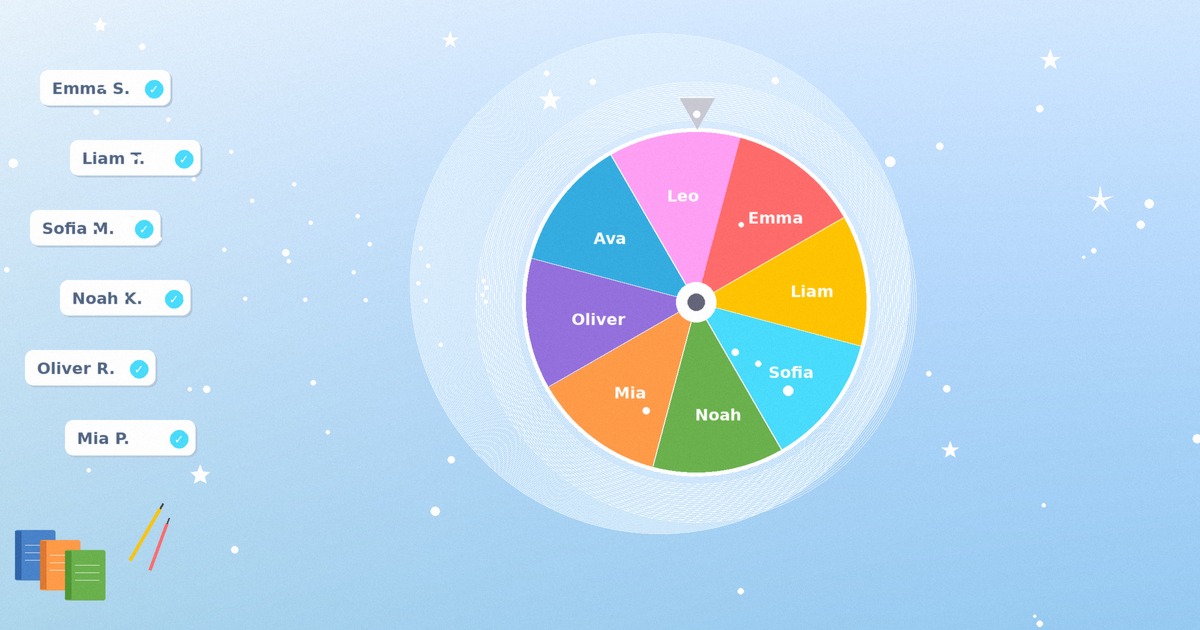
Projecting it changes the room. When the wheel fills the smartboard and starts to slow, the whole class leans in. The suspense does something a paper jar never could — it turns selection into a shared moment instead of a private verdict handed down from the front. Press F for fullscreen, kill the sound if your school is quiet that period, and let it spin where everyone can see. The student whose name lands feels chosen by the room, not singled out by you. If you've never run a wheel on a projector before, the walkthrough in our guide to getting the most out of a spin wheel covers the display settings worth knowing first.
Building Your Classroom Wheel in Two Minutes
- Open the <a href="/name-picker/">name picker</a> and use 'Bulk Add' to paste your whole roster at once, one student per line
- Tint the segments in your class colors so each period's wheel is recognizable at a glance
- Save it to your device — it loads instantly tomorrow with no account and no sign-in
- Spin up a second and third wheel for your other periods so rosters never get mixed
Ten Jobs the Wheel Can Do Besides Q&A
Discussion lead — spin to pick who steers the day's conversation or reads the next passage. Knowing it might be them sharpens how everyone prepares. Group projects — drop a team generator on the board and let it build balanced groups in seconds, which ends the slow, painful ritual of kids picking their friends while three students wait to be chosen last. Seat assignments — a quick spin decides who sits where this fortnight, and "the wheel did it" defuses every complaint before it starts.
Review as a game show — spin for who tackles each question, keep a running tally, and a dull revision session turns into something students ask for. Classroom jobs — line leader, board wiper, paper monitor, all assigned by chance instead of by your memory of who deserves a turn. Raffles and rewards — a giveaway wheel picks the winner of the spare book, the homework pass, the front-of-the-lunch-line privilege, with total transparency. "Remove after selection" guarantees everyone gets a turn before anyone repeats, which matters most for the jobs students actually want.
The wheel also pairs well with structured activity rotations. If you run stations or want fresh prompts to break up a long block, the ideas collected in our roundup of classroom activities you can run with a picker slot straight into this setup. And for anything where you need a quick group split rather than a single name — debate teams, peer-review pairs, lab partners — the team generator does in one spin what used to eat five minutes of negotiation.
What the Wheel Does for the Quiet Ones
The wheel reaches these students because it removes the part they dread. Volunteering forces a choice — raise the hand and accept all eyes, or stay down and stay safe. Most pick safe. Random selection deletes the choice. When the wheel lands on a name, that student isn't being judged for wanting attention. They're simply answering a question, the way anyone would. The social risk drops to almost nothing, and a kid who hasn't spoken all year finds they can manage a sentence after all.
Go gently at first. For a genuinely anxious student, build a side route — a written answer they can read aloud, a "think-pair-share" so they rehearse with one partner before facing the room, or a quiet agreement that they can pass once per week without explaining. None of this breaks the fairness. It just acknowledges that fairness and uniformity aren't the same thing. A private word at your desk — "I'd love to hear from you more, here's how we'll make that comfortable" — does more than any policy.
Watch what happens over a few weeks. The first answer is short and barely audible. The fifth is a full sentence. By the time the wheel has landed on them a dozen times, speaking in class has stopped being an event and become a normal thing they do. Isn't that the whole point?
Adapting It Across Grade Levels
Elementary (K-5) — Lean into the spectacle. Little kids love the spinning animation and the suspense, so let them. Use the wheel for line order, helper jobs, and the coveted small privileges. Cheer every answer warmly, right or wrong, and keep the wheel visible all day so it becomes part of the furniture.
Middle School (6-8) — Sell it as fairness, not fun. This age group has a finely tuned radar for injustice, and "the wheel treats everyone the same" lands harder than any pep talk. Offer the pass-to-a-friend lifeline generously, since middle-school self-consciousness peaks right about now. Let students suggest categories or pick the wheel's colors so they feel ownership.
High School (9-12) — Be straight with them. Explain that you're using random selection because it's measurably more equitable than calling on the same five kids, and most teenagers respect the honesty. It shines in seminar discussions and any question that rewards thinking over recall. Let prepared students bring written notes, and quietly track who's been called so coverage stays even across the term.
College — Name the pedagogy openly. Adult learners appreciate knowing the method has a rationale. Pair the wheel with think-pair-share in discussion sections, and grant the occasional pass without drama. For breaking a large lecture into working groups, a group generator beats counting off by fours every time.
Five Ways Teachers Wreck a Good Wheel
Re-spinning when you don't like the result. This is the cardinal sin. The instant a student sees you spin again because the "wrong" person came up, the wheel is dead. It's just you choosing, with extra steps. Commit to the first result, always, even when it's inconvenient.
Using it only as a weapon. If the wheel appears solely when someone's in trouble or when a hard question needs a victim, students will learn to dread the spin. Mix in the good stuff — prizes, privileges, fun jobs — so the wheel signals possibility, not punishment.
Asking questions nobody can answer. Random selection collapses when the chosen student has no shot at responding. Pitch questions that invite a view rather than demanding a buried fact. "What's your take?" leaves room; "What's the atomic number of selenium?" leaves a kid stranded.
Refusing any accommodation. Rigid uniformity isn't fairness, it's just inflexibility wearing fairness as a costume. Some students need a written option or an occasional pass. Granting it costs you nothing and saves a vulnerable kid a daily dread.
Rushing the spin. The slow turn of the wheel is doing pedagogical work — it gives everyone a few seconds to ready an answer and builds the shared anticipation that makes the room lean in. Let it run. The pause is a feature, not dead air.
Why This Wheel Fits a Classroom
There's no login and no account, which matters more than it sounds. You don't hand over a school email, you don't create yet another password, and the tool collects nothing about your students — names you type live on your device, not on a server. That sidesteps the data-privacy headaches that make IT departments nervous.
It runs anywhere a browser does: the smartboard, the document camera laptop, your phone, a student tablet. Fullscreen mode makes the wheel readable from the back row, and a mute button silences the effects for the periods when quiet matters. Save a roster once and it reloads in a click, so the two minutes of setup is a one-time cost. The colors are yours to set, screen readers and keyboard navigation are supported for students who need them, and the whole thing keeps working offline once it's loaded. None of this is flashy. It's just the absence of the small frustrations that make most tools not worth the bother in a room of thirty restless kids.
Conclusion
Here's what changes when you stop being the one who decides. The strong corner of the room loses its monopoly. The quiet kid in the back gets pulled in not by a confrontation but by chance, which is the only invitation some students will ever accept. Your unconscious habits — the ones you'd swear you don't have — stop shaping who gets to learn out loud. None of that requires you to become a better, fairer, more vigilant version of yourself overnight. You just have to be willing to spin a wheel and honor the result. Start small and start tomorrow. Build one wheel for one class, introduce it with a sentence about why it's fair, and run it for a week before you judge it. Watch who speaks who never spoke before. Don't re-spin, don't weaponize it, and give the anxious students a gentle side door. The structure does most of the work from there. The sticks-in-a-jar teachers had the right instinct decades ago. You just get the version that never spills, never wears out, and never lets you cheat. Spin it, mean it, and let the room surprise you.
Build your class roster once and let fair selection run itself, every period, every day.
Create Your Class WheelFrequently Asked Questions
How many student names can I add to one wheel?
The wheel comfortably holds a full class and then some — well past 100 names if you ever needed it. For most teachers the practical move is one saved wheel per period, so each class has its own roster ready to load.
Can I make sure every student gets called before anyone repeats?
Yes. Switch on 'Remove after selection' and each name drops off the wheel once it's drawn. The class works through the whole roster before anybody comes up twice, which is exactly what you want for jobs and turns students actually care about.
Is the selection genuinely random, or can students game it?
It's genuinely random. wheel.expert draws results using the browser's Web Crypto API, the cryptographically secure random number generator browsers use for security-sensitive work. There's no pattern to learn and no way to predict the next name, so when a student grumbles that the wheel "always picks me," you can tell them honestly that it doesn't.
Does the tool store any student data?
No. There's no login, no account, and nothing sent to a server. The names you type are saved locally on your own device, which keeps you clear of the privacy questions that make school IT departments cautious.
Will the wheel show up clearly on a projector or smartboard?
It's built for it. Press F for fullscreen and the wheel scales to fill the board, readable from the back of the room. Mute the sound effects when you need quiet, and let the slow spin build the suspense that gets the whole class watching.
How do I handle a student with real anxiety about being called?
Build a quiet side route for them — a written answer they can read aloud, a think-pair-share to rehearse with one partner first, or a standing agreement that they can pass once a week without explaining. A private word at your desk sorts this out better than any blanket rule. Fairness doesn't mean treating everyone identically; it means giving everyone a real path into the conversation.
Can I use the same approach to make project groups instead of picking one name?
Absolutely. The team generator splits your roster into balanced groups in a single spin, which ends the slow misery of students choosing friends while a few wait to be picked last. It's the same fairness principle, applied to groups rather than individuals.
What's the difference between using the wheel and just drawing names from a jar?
The job is identical — both spread participation fairly, which is the old 'equity sticks' idea many teachers already know. The wheel just removes the friction: nothing to lose, no rewriting thirty names when your roster shifts, and randomness you can actually trust. It also projects, so selection becomes a shared moment for the room rather than a private draw at your desk.